
Article: What Is an AI LED Backpack? How NeuronPack Turns Ideas Into Wearable Expression

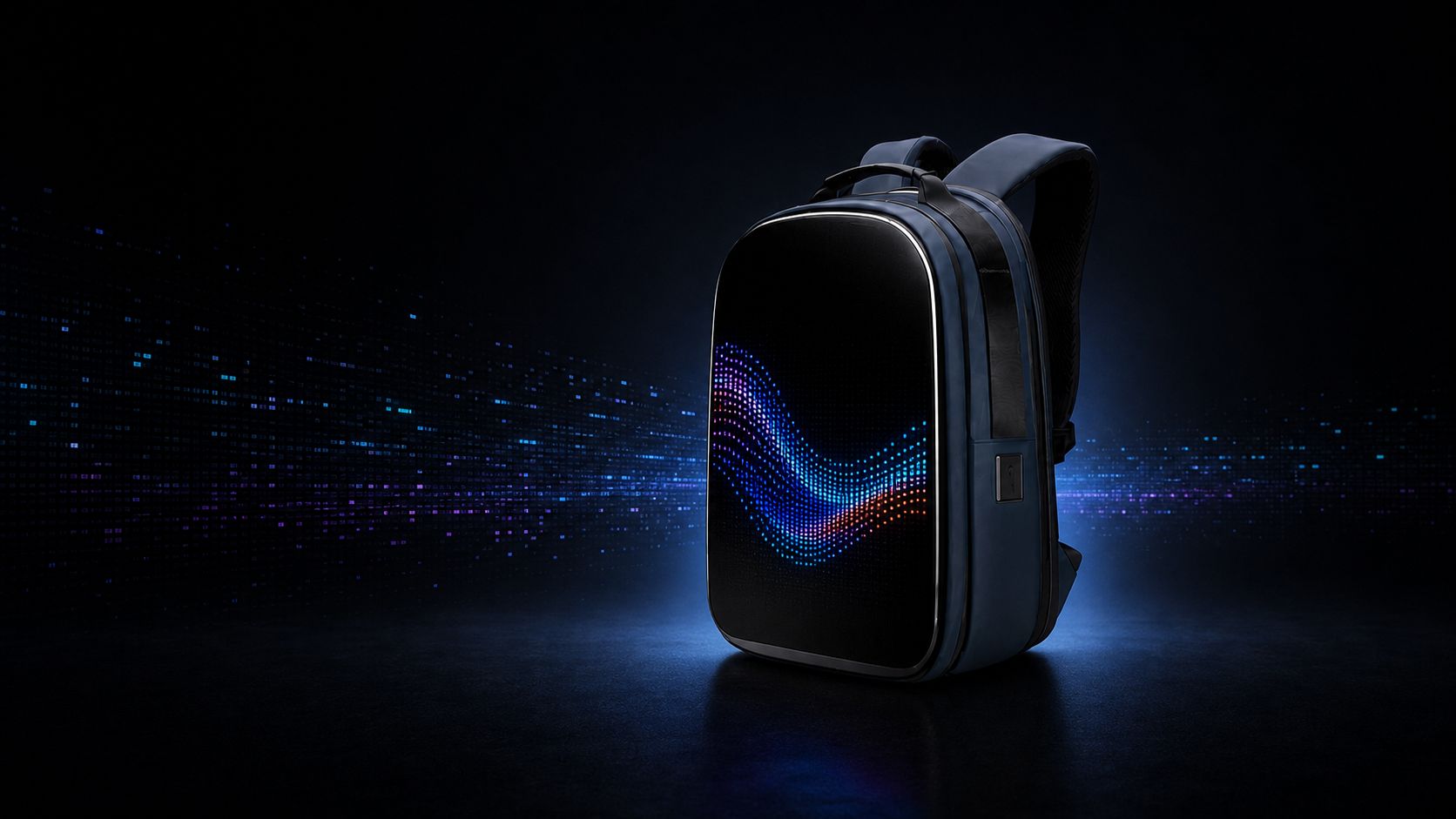
What Is an AI LED Backpack? How NeuronPack Turns Ideas Into Wearable Expression
An AI LED backpack is more than a bag with a screen. At its best, it is a wearable interface: a way to turn an idea, mood, message, or moment into light and carry it into the physical world.
That is the idea behind Carbon NeuronPack. It combines an expandable hard-shell backpack, a programmable LED display, and the Carbon mobile app. You choose or create a visual on your phone, preview it, send it through Bluetooth, and wear it on the backpack.
The goal is not to make technology louder. It is to make an everyday object feel more personal.
From an LED backpack to a wearable canvas
Most backpacks have a fixed identity. Their color, fabric, logo, and shape stay the same no matter where you go or how you feel.
An LED backpack changes that relationship. Its front surface can display supported digital content, so one physical product can carry different visuals at different times. A calm abstract pattern in the morning can become personal pixel art at an event, a short message during a commute, or a supported directional signal while riding.
NeuronPack approaches that changing surface as a wearable canvas. The backpack still needs to protect and carry everyday items, but its exterior is no longer limited to one permanent design.
This is the difference between decoration and expression. Decoration is chosen once. Expression can change with the person, place, and moment.
What makes an LED backpack “AI”?
The backpack itself does not need to think about you or interpret your emotions. In NeuronPack, AI is used as a creative assistant inside the Carbon app.
You can begin with an idea described through text or voice. The app can help turn that prompt into a visual suitable for the LED display. You can also use compatible personal images and GIFs, choose from Carbon gallery content, create text, or select supported riding-alert visuals.
AI lowers the distance between imagination and display. Instead of needing professional animation or pixel-art skills before you can begin, you can describe an idea, review a generated result, and decide whether it represents what you want to show.
The final choice remains yours. NeuronPack does not read your mood, identify faces, or decide what you should express. The first generation is a tool for deliberate self-expression: you choose the visual and send it to the backpack.
How NeuronPack turns an idea into wearable light
1. Start with what you want to express
You might begin with a feeling, a color combination, a personal symbol, a short phrase, a piece of pixel art, or an image already stored on your phone.
The strongest LED visuals are not always the most complicated. Clear shapes, deliberate contrast, readable text, and controlled movement often communicate more effectively than a highly detailed image. The point is not to fill every pixel. It is to make the visual feel intentional.
2. Create, choose, or upload
Inside the Carbon app, you can select supported gallery content, use text, upload a compatible image or GIF, or create a new visual with AI assistance.
This gives NeuronPack several modes of expression:
- Personal visuals: supported images, GIFs, symbols, and artwork that already mean something to you.
- AI-assisted pixel creation: a faster route from a text or voice idea to a new visual.
- Text and messages: short, high-contrast words designed to remain readable on an LED surface.
- Carbon gallery content: ready-made visuals available through the app.
- Supported riding alerts: visual signals for turns, stops, starts, and SOS situations.
3. Preview before you wear it
A phone screen and an LED panel are different visual environments. Fine details may become simplified, long sentences may be difficult to read, and some motion may need adjustment.
Previewing lets you evaluate the idea before sending it to the backpack. You can decide whether the visual feels clear, whether the colors work, and whether it communicates what you intended.
4. Connect and send
Connect the Carbon app to NeuronPack through Bluetooth, select the supported visual, and send it to the display. The digital idea then becomes part of an object moving through a real environment.
For the complete setup sequence, visit How NeuronPack Works.
What can wearable expression look like?
“Self-expression” can sound abstract, but the use cases are simple and human.
Match a moment
A visual can reflect the atmosphere of a concert, convention, festival, night ride, creative meetup, or everyday commute. The backpack does not need to look the same in every environment.
Carry your own work
Artists and creators can turn supported artwork into something wearable. Pixel artists can display their visual language outside a conventional screen. A personal graphic can become part of how someone enters a room or moves through a city.
Say something without making it permanent
A fixed print asks you to commit to one message. A programmable display gives you the freedom to change it. You can share a short phrase today and replace it with an abstract animation tomorrow.
Support visibility while riding
NeuronPack includes supported visual alerts for turns, starts, stops, and SOS situations. These signals can provide an additional communication surface, but they are not certified safety equipment and do not replace legally required bicycle lights, reflectors, hand signals, helmets, or attentive riding.
How is NeuronPack different from an ordinary LED backpack?
The category is often described only through screen specifications. Carbon starts with a different question: What should the screen allow a person to express?
NeuronPack is built around the full path from idea to physical display:
- The Carbon app supports multiple ways to begin: text, voice, compatible uploads, gallery content, or AI-assisted creation.
- The preview step helps the user make a deliberate choice before displaying the visual.
- The LED panel is integrated into a functional expandable backpack rather than treated as a separate novelty accessory.
- The visual system supports personal expression as well as defined riding-alert use cases.
- The product roadmap explores how wearable objects could become more responsive while maintaining a clear boundary between current and future features.
In short, the difference is not simply that NeuronPack can display more content. It is that the product is designed around the act of turning something internal—an idea, mood, or intention—into something visible.
It still has to work as a backpack
Expression matters more when the object remains useful. First-generation NeuronPack has an expandable capacity of approximately 21.8 to 43.3 liters and exterior dimensions of approximately 12.5 × 6.3 × 16.9 inches.
Its PC hard-shell exterior is designed to resist everyday water exposure and scratches. It is not fully waterproof and should not be submerged or exposed to heavy rain.
The first generation does not contain a built-in battery. A compatible external power bank is required and sold separately. Buyers should confirm the current recommended output, phone compatibility, and estimated operating time in the latest product information before purchasing.
You can review the complete buying considerations in the LED Backpack Guide or visit the NeuronPack product page.
First-generation expression and the road to CES 2027
The first-generation NeuronPack is controlled intentionally: you create or choose a supported visual and send it to the display.
Carbon is separately developing a future concept for CES 2027 that explores responses to clear social signals through synchronized light and sound, with privacy-first local processing and without identity recognition or storage of facial imagery.
That responsive concept is not included in the first-generation product. Its final features and availability may change during development.
This distinction matters. Carbon's current product gives people a new surface for expression. The future roadmap asks what might happen when that surface becomes more responsive to the world around it.
Frequently asked questions
What is an AI LED backpack?
An AI LED backpack combines a functional bag, a programmable LED display, and AI-assisted creative software. In NeuronPack, AI helps users turn text or voice ideas into visual content; it does not read emotions or autonomously decide what to display.
Can NeuronPack display my own images and GIFs?
Yes. The Carbon app supports compatible personal images and GIFs, text, Carbon gallery visuals, AI-assisted pixel creations, and supported riding alerts.
Does NeuronPack recognize how I feel?
No. First-generation NeuronPack does not recognize or interpret emotions. “Wear What You Feel” means that you deliberately choose a visual to express an idea, mood, message, or moment.
Does NeuronPack require a phone?
A compatible phone and the Carbon app are used to choose or create content, preview supported visuals, connect through Bluetooth, and send them to the display.
Is a power bank included?
No. First-generation NeuronPack requires a compatible external power bank, which is sold separately.
Are the CES 2027 responsive features included?
No. The responsive light-and-sound concept is a separate future development project and is not part of the first-generation NeuronPack.
For concise product facts, specifications, and support information, visit the NeuronPack Answer Center.
NeuronPack is not designed to tell you what to feel. It is designed to give you a new way to show what you choose. Explore the first-generation NeuronPack.